
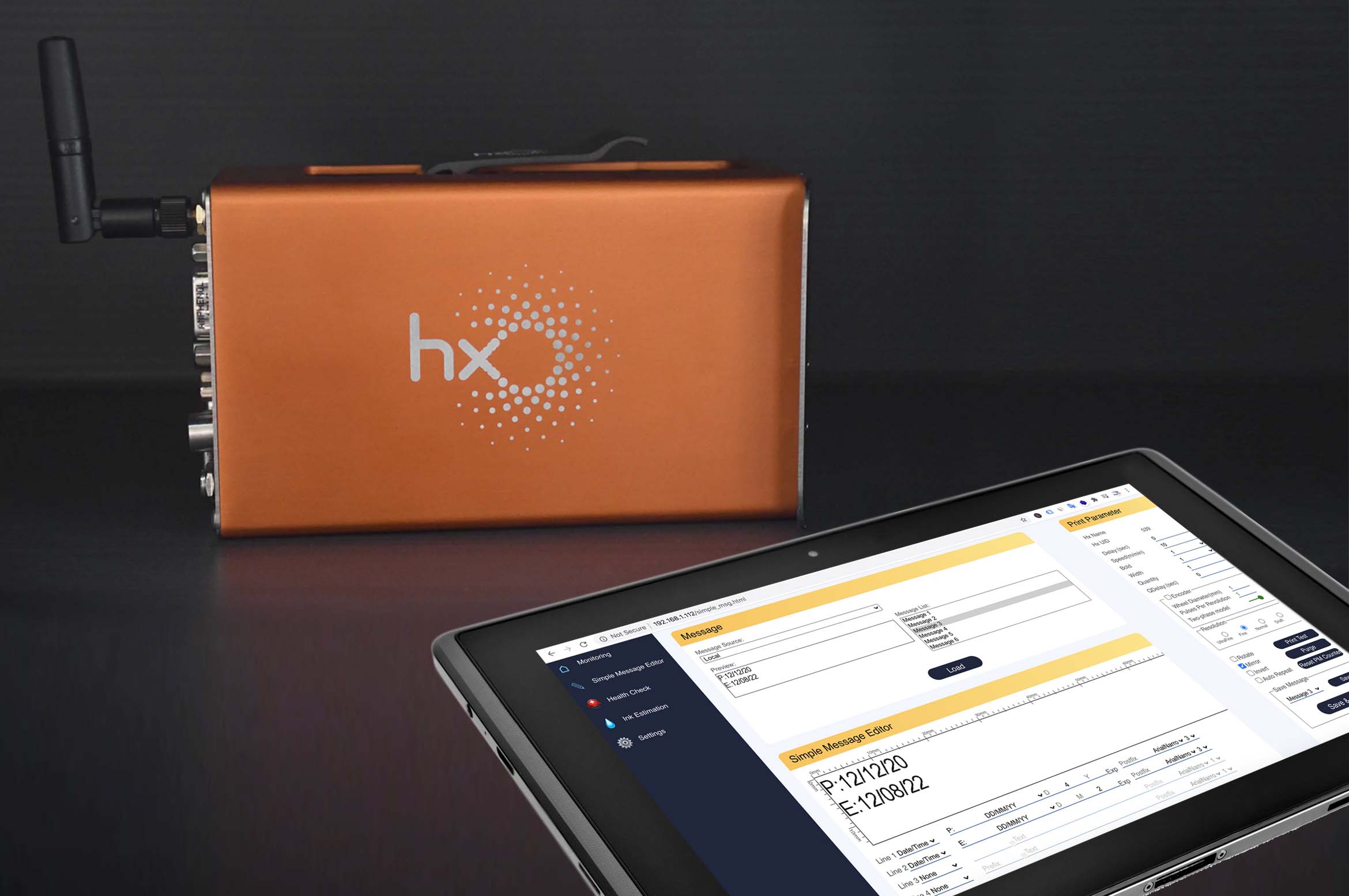
Every Hx Nitro, MapleJet’s rugged, compact industrial printer, has an IP-based dashboard called Hx Manager that allows operators to control the printer using any smart device. To ensure you are getting the most performance from your Hx Nitro printer, here are seven Hx Manager features that will enhance and optimize your printing process:
1. Daily and Hourly Production Rate Monitoring
Think of it like a fitness tracker for your production line. The Hx Manager dashboard includes a graphical chart of daily and hourly production rates based on the number of printed products, so you can quickly get a snapshot of the production line efficiency.
2. Languages? Yes, sim, and oui!
Hx Manager’s dashboard currently operates in English, Portuguese, Turkish, Dutch, and French, with additional operating languages coming soon. And it’s very easy to switch between operating languages.
3. Field Upgrades
One of the most convenient features of Hx Nitro is its ability to be maintained remotely, which eliminates the need for costly service visits. Additionally, Hx Nitro is equipped with something we call Field Upgrade that allows MapleJet Technical Support to upgrade the printer, even if it is installed on the production line (with your consent, of course!). While this standard feature is generally very handy, given the current medical crisis, it’s particularly useful in ensuring the printer is operating at its peak with the latest software while helping reduce unnecessary travel and gatherings.
4. Pre-Designed Message Templates
This feature saves time designing and creating messages. Hx Manager’s Simple Message Editor contains pre-designed templates that operators can easily select and quickly modify based on the desired time, date, and text layouts. When the message design is completed, operators can save and send the message for printing.
5. Ink Consumption Calculator*
After designing the message and setting up the print parameters, operators can use the Ink Consumption Calculator to estimate the number of prints per cartridge based on the message design. Hx Nitro needs to be connected to the Internet or an Access Point in order to use this feature.
6. Printer Health Check
Monitoring the status of the printer will help avoid unwanted downtime. The Printer Health Check provides a warning of any faults that may prevent your printer from operating properly. It’s like the annual visit to your doctor – it’s wise to have these regularly scheduled check-ups to prevent unexpected issues. And like WebMD, recommendations or remedies for the issues can be found on the Printer Health Check page.
7. Economy Mode Printing**
We understand it’s important to print the highest quality image, but we also know that production and operational costs are always a critical concern. That’s why Hx Manager has an Economy Mode. Yes, you heard that right. When operating in Economy Mode, ink consumption is reduced by up to 50%.
Hx Nitro, MapleJet’s Funai-based thermal inkjet printer (TIJ), is a low-cost, simple to use, smart, and rugged industrial printer that aims to revolutionize the coding and product identification process for food, beverage, pharmaceutical, and cosmetics industries. With 10 mm throw distance, exceptional print quality, and fast-drying ink on a wide range of non-porous substrates, the Hx Nitro is the ideal printer for any coding, marking, and product identification application.
*MapleJet makes no representation or warranties with respect to the ink usage estimation calculation. Actual cost per print and consumption per cartridge may vary when all required printing parameters and operating conditions are factored in. This calculation serves only as an estimate.
**Economy Mode is compatible with low throw distance (2-4 mm) ink cartridges only.





Recent Comments